








PHPからWordやPowerPointのファイルを作る方法
2006年08月09日-
スポンサード リンク
How to create Microsoft Office documents on the fly using PHP - informBank
There are two main approaches on building documents in MS Word, MS Excel and MS PowerPoint using PHP. The first is by using the COM library (only if you are running your PHP script on a Windows server) and the other is by "tricking" the Microsoft Office programs by using simple HTML or CSV (for Excel).
PHPからWordやPowerPointのファイルを作る方法。
Windows上でしか動作しませんが、次のプログラムを実行するとwordのファイルが作成できます。
<?php
$word = new COM("word.application");
//To see the version of Microsoft Word, just use $word->Version
echo "I'm using MS Word {$word->Version}";
//It's better to keep Word invisible
$word->Visible = 0;
//Creating new document
$word->Documents->Add();
//Setting 2 inches margin on the both sides
$word->Selection->PageSetup->LeftMargin = '2"';
$word->Selection->PageSetup->RightMargin = '2"';
//Setup the font
$word->Selection->Font->Name = 'Verdana';
$word->Selection->Font->Size = 8;
//Write some text
$word->Selection->TypeText("Hello, universe!");
//Save the document as DOC file
$word->Documents[1]->SaveAs("C:\\apachefriends\\xampp\\htdocs\\com\\a.doc");

//And of course, quit Word
$word->quit();
$word->Release();
$word = null;
//Give the user a download link
echo '<a href="a.doc">Download file as .doc</a>';
?>
要はCOMクラスを使ってWORDを自動操作しているのですが、これは便利です。
上記プログラム、$word->Documents[1]->SaveAS に渡している引数は、適宜書き換えてください。
作成されたdocファイル
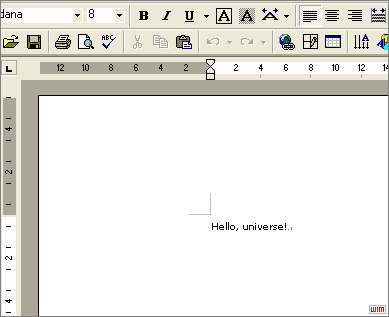
他にも、PowerPointやExcelの例が紹介されています。

スポンサード リンク
By.KJ : 2006年08月09日 21:50 

 間違いの指摘をしていただける方はメール、あるいはTwitter/FBでお願いします(クリック)
Advertisements



SITE PROFILE

最新のブログ記事(新着順)
- React+Tailwindなサイトで使えるUIライブラリ「SmoothUI」
- 15000以上のいい感じの線形アイコン「Lineicons」
- CSSやTailwindでのCSSスニペットライブラリ「CSS Snippets Library」
- AIを使ってサイトマップが作れる「Octopus.do」
- ライブラリ依存のないモーダルオープンライブラリ「Blendy」
- 個性的な明朝フリーフォント「築豊初号明朝OFL」
- CSSで太陽が差し込むようなアニメーション実装
- 可愛くアニメーションする「beautifully crafted animated icons」
- アイソメトリックなアイコンがアイコンがPNG,SVGでゲットできる「Isoicons」
- ユニークなカタカナフォントtorisippo
- 過去のエントリ


